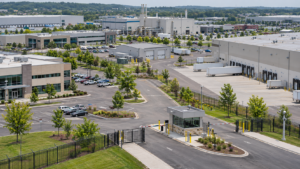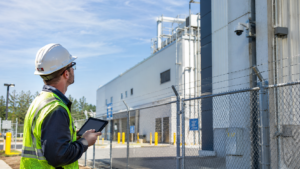
Security at America’s critical infrastructure sites has converged. Electric substations, water treatment plants, and gas distribution hubs were once protected as separate perimeters, each with a chain-link fence, locked doors, and a few cameras on the fence line.
Those same systems now sit inside daily operations, and the stakes have climbed with them.
Global research on cyber-physical systems found that 58% of critical infrastructure operators have had incidents that directly disrupted operations.
The average loss per incident at critical sites is $1.04 million, rising to $2.25 million for larger utilities.
Asset lifecycle management, the practice of tracking devices from installation through service, warranty, and end of life, is now central to protecting these sites. Whether the driver is NERC CIP, AWIA, or CISA guidance, each review comes down to the same three questions. What equipment is in place, where it sits, and proof that it works.
Here’s how utilities build one, keep it accurate throughout the asset lifecycle, and coordinate contractors across remote sites.
What Utility Security Infrastructure Management Requires
Utility security teams oversee physical security systems across substations, generation plants, and operational facilities. Standards such as NERC CIP-014 require documented security plans, risk assessments, and records of infrastructure changes at critical sites, and those records must hold up when a regulator asks for them.
Most hands-on work falls to outside integrators and contractors, and several may deliver projects at the same time. Each one leaves behind installation documentation, drawings, and project files in its own format and location. Over time, that documentation scatters across vendors, project teams, and internal folders, and the utility loses a reliable picture of what it has deployed at each site.
The consequences show up in two places. Audits get harder to defend, and upgrade plans rest on incomplete information.
Four Questions Every Critical Site Record Should Answer
A continuous system record keeps design, installation, asset data, and later changes connected in a single source of truth. For any substation or facility, it should answer these questions.
- What was originally designed?
- What was installed?
- What has changed since?
- What exists at the site today?
Answering those questions with confidence pays off in four parts of the program.
1-Design intent. Standards tend to lose clarity between engineering and the field. A connected data layer carries approved designs through to installation, giving integrators a clear scope and ensuring the finished system reflects the standard.
2-Integrator oversight. With several vendors deploying at once, the utility needs to see what each one is installing and confirm it matches the approved design. Tracking progress and capturing installation details as work is completed makes that verification routine.
3-Audit support. A device inventory alone falls short. Reviewers need confidence that the data reflects what is in the field, which requires documentation that stays current as the system changes.
4-Upgrade planning. Substation security equipment often stays in service for many years. Device age, warranty status, end-of-life timelines, and failure history let the team prioritize replacements based on actual field conditions.
The Fragmented Security Lifecycle
Most utility security managers rely on static CAD drawings, disconnected spreadsheets, paper field notes, and siloed integrator tickets to manage multi-million-dollar physical security portfolios. This fragmentation creates dangerous liabilities.
| Where Utility Security Records Break Down | |
|---|---|
| Friction Point | Impact on Operations |
|
Static CAD drawings and spreadsheets Insight: Up to 70% of field-service time goes to verifying asset locations and specifications because of outdated manual documentation. |
Out of date the moment installation is complete. |
|
Vendor information silos Insight: NERC CIP standards (specifically CIP-013 for Supply Chain Risk Management) demand strict tracking of device origin, firmware baseline integrity, and authorized vendor personnel. |
Integrators, not the owner, hold the device and maintenance data. |
|
Reactive maintenance Insight: Minor, unaddressed issues, such as a degrading seal on an outdoor enclosure or an uncleaned lens/housing, can lead to water ingress or internal overheating. A $20 preventive gasket replacement rapidly escalates into a complete $4,000 pan-tilt-zoom (PTZ) camera destruction and blown field power module. |
Device lifespans go untracked and warranty gaps go unnoticed. |
Stale Records Leave U&E Operators Blind to Their Own Security Infrastructure
Each gap compounds the others. A drawing that went stale at installation never catches up, because every change since then sits in integrator tickets the owner rarely sees. Without a current record of what is installed and when, maintenance waits until something fails.
Across hundreds of remote sites, the owner ends up with a partial picture of its own security infrastructure and no clean way to rebuild it. The cause traces back to how most utility security programs were built and maintained, and three habits account for most of it.
- One-and-done project handoffs. Security systems were treated as one-time capital projects. The contractor handoff ended the documentation instead of starting ongoing lifecycle tracking.
- Siloed internal ownership. Operations, IT, and corporate security each managed their own assets. No single team was responsible for keeping drawings and inventories current.
- Integrator-controlled data. Field updates, repairs, and device swaps stayed in contractor ticketing systems and never synced back to the utility’s records.
Those habits still shape how most utility teams work today, and they show up most clearly in the everyday tools used to track security assets.
Traditional Workflow Friction
For utility security executives, the central challenge is no longer just buying security hardware. Utilities have already spent decades buying and installing cameras, card readers, and fence sensors. Hardware procurement is a solved problem.
The real breakdown is the operational friction of managing thousands of aging, disconnected security devices across remote substations over a 10-to-15-year lifecycle.
| Traditional Procurement vs. Lifecycle Management | ||
|---|---|---|
| Operational Phase | Traditional Procurement Focus |
Advantage of Proactive Lifecycle Management |
| Asset Tracking |
Initial Purchase Log initial camera model, location, and purchase order at installation. |
Day 2 Drift Tracking device relocations, firmware versions, IP addresses, and field modifications over 10+ years. |
| Documentation |
Static Handoff CAD layouts and spreadsheets handed off by contractors at project completion. |
Dynamic Mapping Real-time digital mapping linked live to device health, coverage cones, and physical access logs. |
| Maintenance |
Reactive Truck Rolls Dispatched only after a complete hardware outage or visual inspection failure. |
Predictive Health Monitoring Automated remote diagnostics for voltage drop, seal degradation, and video loss before hard failure. |
| Compliance & Risk |
Reactive Audits Scrambling to manually assemble proof of security coverage for NERC CIP audits. |
Proactive Audit Readiness Automated compliance tracking, change logging, and credential management across all remote sites. |
Most of that friction starts with documentation. Utilities manage thousands of remote assets, from substations to water treatment facilities to valve stations. Utilities usually added security hardware reactively, one project at a time, engineers ended up tracking camera fields of view, card readers, and perimeter sensors in disconnected CAD files and Excel trackers.
Those static drawings and spreadsheets remain the norm and one of the biggest headaches in utility physical security. Four risks come with them.
Major Risks of Static CAD Drawings and Spreadsheets
A CAD drawing or spreadsheet is accurate on the day the contractor hands it over. From that point on, any unrecorded field change, repair, or device swap widens the gap between the documentation and what is mounted on site. The damage shows up in four places.
- Version Drift: Site technicians make field modifications that never update the central CAD drawing, rendering the drawings obsolete within months.
- Lack of Context: A spreadsheet lists camera models and maintenance dates, but doesn’t map camera cone overlaps or dead zones on the CAD layout.
- Compliance Nightmares: Regulatory audits (like NERC CIP-014 for power utilities) demand fast, accurate asset tracking. Fragmented spreadsheets drive up audit prep costs and increase human-error penalties.
- Siloed Lifecycle Management: Device end-of-life, firmware updates, and maintenance schedules live on personal drives rather than triggering automated work orders.
Each of those risks gets harder to fix when the owner doesn’t hold the data. In most utility programs, the most current device information sits with the integrator who installed or last serviced it, in that vendor’s own system and format.
Vendor Information Silos
A vendor information silo forms when separate vendors design, install, and maintain different security systems, each in its own software, database, and service portal. None share data with one another.
In a typical utility, one vendor runs video surveillance (VMS), another runs access control (PACS), a third handles perimeter intrusion detection (PIDS), and a fourth covers gate automation. Keeping those systems apart opens four gaps.
Four gaps that show up when security tools stay separate.
- Fragmented Operational View: An alarm triggers on the perimeter fence, but the operator must manually open a separate VMS software package, search for the right camera, and orient the view to verify the threat.
- Orphaned Access Rights: When an employee or contractor leaves, admins must manually remove them across multiple independent databases (access cards, visitor management, key cabinets). Missing just one leaves a critical compliance vulnerability.
- Unsync’d Lifecycle & Maintenance: Device end-of-life dates, firmware patches, and warranty statuses are trapped in distinct vendor portals or manual spreadsheets, making proactive lifecycle planning nearly impossible.
- Increased Cyber Exposure: Third-party vendor devices running outdated firmware without centralized visibility become easy entry points for network cyberattacks.
The lifecycle gap carries straight into maintenance. When nobody can see a device aging, nobody acts until it fails. Maintenance turns into a response to breakdowns instead of a plan, and the pattern repeats across the remote sites the team manages.
The Ongoing Reactive Maintenance Issues
Reactive maintenance, known in the field as run-to-failure, means security devices are repaired or replaced only after they break down.
In utility physical security, that approach carries real operational risk. Without monitoring or scheduled inspections, security managers often learn a device has failed only when an incident occurs or an auditor asks for footage.
Detecting asset gaps only after failure creates unplanned field response costs, premature equipment replacement, and compliance exposure.
| Risk | Operational Impact | Financial Impact |
|---|---|---|
| The blind spot gap | A camera at a critical substation fails quietly over the weekend. An intrusion follows, and operators learn the camera was down only when they go to pull footage for the investigation. | The 2013 Metcalf substation attack damaged 17 transformers and cost more than $15 million to repair. |
| Compliance penalties | Under NERC CIP-014, failing to maintain the physical security controls a utility committed to in its security plan exposes the owner to enforcement action. | Under Section 215 of the Federal Power Act, added by the Energy Policy Act of 2005, NERC can assess penalties of up to $1,584,648 per violation, per day, after inflation adjustment. Systemic noncompliance compounds fast, and aggregate fines can climb well past that mark. |
| Higher operating costs | Emergency dispatches to | Utilities conservatively estimate |
| remote sites cost far more than scheduled preventive maintenance visits. | $250 to $500 per truck roll, before overtime and repeat visits. |
Proactive Security Lifecycle Programs for Utilities
Proactive programs track cameras, readers, and sensors through five stages, from the first planning conversation to retirement. The process built at each stage carries into the next, preventing data from resetting at project handoffs.
Leading utilities use a five-pillar framework: Planning, Designing, Installing, Maintaining, and Auditing. Platforms like SiteOwl support the full lifecycle by keeping the asset record live and connected across all five stages.
1. Plan From a Single Inventory
Start by consolidating device records. Gather spreadsheets, CAD files, integrator tickets, and field notes from each site into a single inventory. That inventory becomes the baseline for strategy and budget.
With the inventory in hand, run a risk assessment that scores every site the same way. A structured five-step approach covers full asset visibility, threat-vector mapping, standardized scoring, and prioritization by business impact.
Applied consistently, it puts a valve station and a transmission substation on a common scale, directing capital first to the sites where a failure would cost the most.
2. Design to One Standard
Set the standard before the next project starts. Device favorites and design templates lock in approved camera models, readers, and parts lists, ensuring integrators work from consistent selections at each site.
Build layouts directly on the site’s floor plans. Placing devices on the plan shows coverage before anyone mobilizes a crew, reduces site visits to remote locations, and automatically generates the bill of materials. Integrators bid against a shared scope, producing comparable proposals from a common baseline.
A few disciplines keep designs consistent as the portfolio grows.
- Lock the scale first. Set the floor plan scale before placing devices to ensure on-screen coverage reflects the real site.
- Check coverage before the crew rolls. Use the coverage view to catch blind spots and overlaps on the drawing, where they cost nothing to fix.
- Review on one version. Bring facilities, IT, integrators, and consultants into a single design, enabling review and approval on one drawing everyone can see.
3. Install Against a Live Record
Move the approved design straight into a live project. Devices start as pending, and progress is visible at each site down to the individual device as work is completed.
Ensure everyone is on the same page. Technicians use the mobile app to complete tasks, update device status, attach quality-control photos, record IP and MAC addresses, and flag blockers to the project manager. Each update writes back to the as-built automatically, completing the documentation when the install ends.
The cleanest installs follow a consistent pattern from kickoff to closeout.
- Organize plans by location before work begins. Store every floor plan in the Plan Library, sorted by site, building, and floor, allowing crews and project managers to pull the right drawing for the right substation.
- Give vendors the scope up front. Share project scopes and designs with each integrator through a shared record, ensuring technicians arrive knowing what goes where.
- Verify work without the drive. Review the field team’s photos remotely to confirm the work meets the standard, then share progress reports with stakeholders as milestones close.
4. Maintain on a Schedule
Route service through one workflow. One-click ticketing ties each request to a specific device and location, giving the technician dispatched to a remote substation clear direction on what to fix and where to find it. That supports first-contact resolution on component failures and system upgrades.
Track device age, warranty status, and replacement timelines across the portfolio. Plan and budget replacements on real data before a failure forces an emergency dispatch.
Most of the work at this stage rides on the quality of the work order.
- Send complete tickets. Attach the device details, location, and history a technician needs before the truck leaves the yard, enabling the visit to end with a fix instead of a second trip.
- Follow tickets to closeout. Track progress updates on each open request, giving the security team visibility into where repairs stand across sites.
- Read the failure log. Review failure history by device and site to spot repeat problems and decide whether a part needs another repair or a planned replacement.
5. Audit Continuously
Schedule preventive maintenance checks and track them to completion. Regular checks find coverage blind spots while you can still close them on a planned visit.
Keep hardware modifications, system access records, and end-of-life status in one organized history. When a NERC CIP-014 review or AWIA assessment comes around, the proof of what is installed, where it sits, and that it works is already on file. Those findings then feed the next planning cycle.
Digital audits close the gap between finding a problem and fixing it.
- Retire the paper checklist. Run audits digitally at each site. Findings get recorded once, accurately, and land in the same data as the devices they describe.
- Report on the floor plan. Build audit reports with visual floor plans attached, allowing reviewers to see each finding in the context of the site layout.
- Ticket findings on the spot. Raise a service ticket directly from any device issue the audit uncovers, assigning the fix before the auditor leaves the site.
How Utilities Stay Ahead of the Next Audit
Utility security programs come back to three core questions. What equipment is in place, where it sits, and proof that it works. Teams working from stale drawings, scattered vendor files, and run-to-failure maintenance answer them after the fact, and they pay for it in audit prep, emergency dispatches, and coverage gaps nobody knew existed.
Teams with current, connected documentation answer them on demand. Designs, installations, service tickets, and audit findings build into a single history that follows each device through its full lifecycle.
SiteOwl gives utility security teams that system of record across substations and facilities. See what that looks like for your organization.