
The physical security market reached $126.8 billion in 2026 and is projected to surpass $200 billion by 2035. Hardware remains the foundation, but service deployment, remote monitoring, and maintenance are the fastest-growing segments, reflecting a broader industry shift toward Security-as-a-Service models. This sits inside the bigger question of physical security lifecycle management, which we cover in full separately.
Meanwhile, interest in AI among security end users has doubled since 2025, and the market has responded with a wave of new platforms and features, making software evaluation more complex than ever.
For security managers tasked with selecting the right platform, the stakes are high and the number of options continues to grow.
This guide outlines five key capabilities security teams should prioritize when evaluating physical security management software in 2026, helping you cut through the noise and identify the platforms that deliver real operational value.
| Want a faster way to compare vendors?
Download our physical security management software evaluation worksheet, a printable checklist security leaders use to compare solutions and make confident technology decisions. |
The state of physical security management software
Before diving into the capabilities to look for, it’s important to understand how physical security management software has changed.
Physical security management software looks nothing like it did even five years ago. As the security industry continues to advance, what once functioned primarily as a dashboard for cameras and access control systems has become something much more powerful.
Most effective platforms operate as central command centers for security operations. Built on cloud-based, hybrid cloud architectures and increasingly enhanced with AI-driven capabilities, modern solutions integrate infrastructure data, project workflows, vendor coordination, and system performance insights into a single, unified environment.
This shift reflects a broader reality facing security teams today.
| Earlier security software (5–10 Years Ago) | Modern security management platforms |
|---|---|
| Focused mainly on camera and access control monitoring | Functions as a central command center for security operations. |
| Often on-premise and hardware-centric | Built on hybrid-cloud architectures for scalability and accessibility. |
| Limited integration between systems | Unified platform connecting devices, infrastructure data, and workflows. |
| Security information stored in separate tools or spreadsheets | Centralized system of record for assets, documentation, and projects. |
The pressure on modern security teams
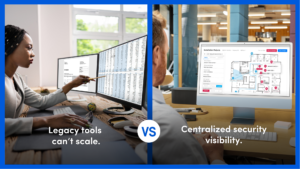
Organizations are expanding across more facilities, deploying more devices, and working with more vendors than ever before. The demand for managed building services is growing 4.1% annually, leaving security teams responsible for more square footage and increasingly complex smart building environments.
At the same time, physical security hardware is projected to account for 40.5% of the global security market by 2026, translating into millions of new IP cameras, sensors, and access control readers that all require power, maintenance, and monitoring. See our physical security glossary for the detail.
Yet many organizations still rely on legacy tools, including spreadsheets, static floor plans, and disconnected systems that were never built for this level of complexity. The gap between those tools and modern security operations is becoming impossible to ignore.
The security platforms that are closing that gap share a common approach:
- Centralized security infrastructure data in a single platform.
- Stronger collaboration between internal teams and vendors.
- Real-time visibility into assets, projects, and system performance.
- Clear operational insight for managing complex security environments with confidence.
Here are five key capabilities to prioritize when evaluating physical security management software in 2026.
1. Architecture and deployment model
Most security platforms were built for a single site, a single vendor, and a simpler time. As physical security environments grow more complex, the infrastructure behind your management software needs to keep pace.
When evaluating architecture and deployment, here’s what modern security environments require:
| Capability | What to look for |
|
Supports hybrid-cloud, on-premise, and remote administration. |
|
Single interface for managing all locations and devices. |
|
Works across hardware brands without proprietary lock-in. |
|
Handles growing device counts and locations without performance trade-offs. |
|
Full platform functionality accessible outside the office or data center. |
When evaluating architecture, look for platforms that provide full visibility across all sites from a single interface, support your existing hardware investments, and adapt to how your team actually works, whether in the field, in the office, or somewhere in between.
Together, these architectural capabilities ensure your security management platform can scale with your environment without forcing your team to change the way they work.
2. Integration and ecosystem fit
A security platform that can’t communicate with the rest of your environment quickly becomes just another system your team has to manage.
The best platforms don’t just connect to your existing video, access control, and alarm systems. They unify them, creating a single source of truth across every technology in your environment.
Rather than forcing you to replace what’s already working, they’re designed to layer on top of your current investments, making them more valuable.
According to the 2026 State of Physical Security Report, 60% of organizations cite the need to integrate new technologies as the main reason for replacing legacy tech.
Look for platforms that can serve as a true data backbone for your GSOC, VSOC, IT, and OT operations, not another isolated tool that creates more handoffs and more gaps.
How integrated security platforms improve operations |
||
|---|---|---|
| Stakeholder / Team | Disconnected systems | Integrated security platform |
| GSOC (Global Security Operations Center) | Must switch between video, access control, and alarm systems to understand incidents. | Unified operational view across systems for faster situational awareness. |
| VSOC (Video Security Operations) | Video data isolated from infrastructure, project, and device information. | Video systems connected to infrastructure data and device history. |
| IT Teams | Limited visibility into security devices, networks, and configurations. | Integrated infrastructure data supporting security and network coordination. |
| OT / Facilities Teams | Security system documentation stored in separate tools or outdated records. | Centralized system documentation and asset visibility. |
| Security vendors & integrators | Depend on emails, site visits, and manual documentation to complete work. | Shared platform access with accurate system information and updates. |
The best security approach reduces the number of systems your team has to navigate daily and gives every stakeholder, internal or external, access to the information they need without friction.
3. Scalability and growth readiness
Adding a single camera is easy. Managing 10,000 devices across 50 locations while keeping documentation accurate, configurations up to date, and vendors aligned is where most platforms start to break down.
True scalability isn’t just about handling more devices or more sites.
It means the platform grows with your organization without creating an exponential administrative burden on your team. User permissions, device documentation, and system configurations should be just as manageable at scale as they are on day one.
When evaluating scalability, look for platforms that:
| Tool capability | What it enables for security teams |
| Fast site onboarding | Quickly bring new locations online without manual setup or complex configuration |
| Perpetually accurate as-builts | Maintain reliable documentation as systems evolve, devices change, or projects expand. |
| Centralized update management | Deploy configuration updates across locations without touching every site individually. |
| Operational efficiency at scale | Reduce administrative workload for internal teams and simplify coordination with integrators. |
What scalability looks like in practice varies by industry, regulatory environment, and operational footprint.
Here are example scalability roadmaps across several common sectors.
Transportation & logistics
Security teams in transportation and logistics must manage large numbers of facilities that are constantly expanding, often across wide geographic regions.
- Rapid onboarding of new distribution centers, terminals, and yards.
- Centralized visibility across geographically distributed facilities.
- Standardized device documentation for cameras, gates, and perimeter security.
- Coordination with multiple regional integrators and vendors
- Remote management to reduce the need for frequent site visits.
Higher education
Campus environments combine public access, residential spaces, and academic buildings, requiring security platforms that support collaboration and standardized oversight.
- Centralized management across multiple campus buildings and satellite locations.
- Scalable user permissions for security teams, facilities, and IT departments.
- Consistent security standards across dorms, academic buildings, and public spaces.
- Lifecycle tracking for aging cameras, access control systems, and emergency infrastructure. That is what access control lifecycle management is for.
- Collaboration between campus security, IT, and facilities teams.
Utilities & energy
Utilities and energy organizations operate critical infrastructure across remote and highly regulated environments where reliability and documentation are essential.
- Secure management across substations, plants, and remote infrastructure sites.
- High visibility into device health and security system uptime.
- Standardized documentation for critical infrastructure assets.
- Integration with OT and industrial control environments.
- Scalable oversight for distributed facilities with strict compliance requirements.
As security environments expand, scalability determines whether a platform supports growth or slows it down. An effective platform allows teams to add sites, devices, and vendors without increasing administrative complexity.
4. Operational visibility and system documentation
One of the most common challenges in physical security is knowing exactly what you have once they’re deployed.
Across large environments, system documentation often lives in scattered places: outdated CAD drawings, spreadsheets, installation photos, vendor records, and technician notes. As systems change over time, those records quickly fall out of date.
Without accurate documentation, security teams struggle to answer basic operational questions:
- Where exactly is this device installed?
- What firmware version is it running?
- When was it last serviced?
- Which vendor installed or maintains it?
A purpose-built platform maintains living system documentation that stays accurate as projects are installed, modified, and serviced.
Key platform capabilities for scalable security operations |
|
|---|---|
| Capability | What it enables |
| Digital floor plans | Visual mapping of cameras, doors, and infrastructure. |
| Living as-builts | Documentation that updates as systems change. |
| Device-level records | Location, configuration, and service history. |
| Project-to-operations continuity | Installation data that flows directly into ongoing system management. |
With accurate, continuously updated documentation, security teams spend less time searching for information and more time improving system performance.
5. Lifecycle management and asset visibility
Every device in your environment has a clock running on it and most security teams have no clear picture of where those clocks stand.
Across large physical security environments, device information is often scattered across spreadsheets, vendor records, installation notes, and maintenance logs. As systems evolve, that fragmented data makes it difficult to track warranty coverage, service history, and end-of-life timelines.
Without clear lifecycle visibility, teams lack the foundation for a proactive security strategy, forcing reactive decisions like replacing devices during failures, missing preventative maintenance windows, and struggling to justify capital expenditures with reliable data.
A modern platform turns lifecycle management into a centralized, data-driven capability. By consolidating asset information across the environment, security teams gain a real-time view of device age, warranty status, and replacement timelines.
Capabilities that support security asset lifecycle management |
|
|---|---|
| Capability | What it enables |
| Asset lifecycle tracking | Real-time visibility into device age, warranty coverage, and end-of-life timelines. |
| Device service history | Complete records of maintenance, repairs, and configuration changes. |
| Warranty & contract visibility | Easy tracking of vendor warranties and service agreements. |
| Data-driven planning | Reliable insights to support proactive upgrades and capital planning. |
With accurate lifecycle data in one place, security teams can move from reactive maintenance to proactive infrastructure planning, ensuring systems remain reliable and that future investments are guided by real operational data rather than best guesses.
Choose the platform that brings clarity to your security operations
Physical security management today demands more than hardware and headcount. The organizations operating with the greatest efficiency, visibility, and confidence rely on platforms that transform operational data into clear, actionable insight.
If your tools rely on spreadsheets, static documentation, or disconnected systems, your team may be managing information rather than security. A modern platform restores clarity and control.
For teams evaluating their next step, having a structured way to compare solutions is essential for confident decision-making.
Download the worksheet to evaluate vendors, compare solutions, and guide your next security technology decision.
Guide FAQs:
What is physical security management software?
A centralized platform that helps security teams manage infrastructure cameras, access control, and other devices across one or more locations, going beyond basic monitoring to support planning, coordination, and reporting.
What should I prioritize when evaluating platforms in 2026?
Five key areas: architecture and deployment flexibility, integration and ecosystem fit, scalability, analytics and ROI visibility, and lifecycle management.
How does this software support multi-site operations?
It centralizes visibility across all locations from a single interface, keeping device documentation, project status, and system performance accessible without disconnected tools.
How does it help with budget planning?
By centralizing warranty status, end-of-life timelines, and service history, security leaders can build accurate capital expenditure plans backed by real data.
Who is this guide for?
Security managers and directors evaluating physical security management software who want a clear framework for identifying platforms that deliver real operational value.